






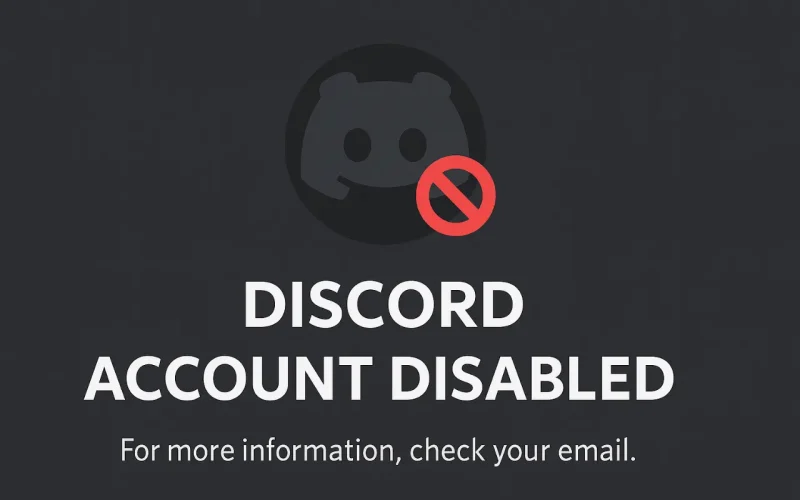
Imagine you’ve spent countless hours building friendships, communities, and even businesses on Discord. One day, you wake up, log in, and suddenly see the dreaded message: “Your account has been disabled.” Panic sets in. Questions flood your mind—Why me? What did I do wrong? Can I get it back?
You’re not alone. Thousands of users find themselves in this situation every year. Discord, with over 200 million active monthly users, is incredibly popular for gaming, hobbies, professional networking, and community building. Thus, losing access unexpectedly can feel catastrophic, affecting personal connections and professional ventures alike. This guide is tailored specifically for Discord users who are struggling with disabled accounts—helping you understand why accounts get disabled, how to appeal, preventive measures, and actionable steps to ensure you’re back chatting with friends in no time.
Why Discord Disables Accounts
Discord, like most social platforms, has strict community guidelines designed to protect users and maintain a positive, safe environment. Account disablement is often the result of violations against these guidelines. While it might seem harsh, understanding the logic behind Discord’s decision can ease some of the frustration.
Discord disables accounts primarily to protect its users from harassment, scams, fraud, and inappropriate content. The platform employs both automated systems and human moderators to review activities. Sometimes, the algorithms can mistakenly flag harmless actions, but often, genuine violations trigger account disablements.
For instance, aggressive or repeated spamming, unsolicited friend requests, sharing inappropriate content, or participation in illegal activities will inevitably lead to account suspension. Additionally, Discord can disable accounts that seem compromised or hacked as a preventive measure.
Common Reasons for Account Disabling

Discord lists specific violations clearly in their Community Guidelines and Terms of Service, but some are more common than others. Recognizing these typical triggers can help you stay in the clear.
Spamming: Sending repeated messages, unsolicited advertisements, or flooding chat rooms is a quick way to have your account disabled. This often happens to new users unfamiliar with proper Discord etiquette.
Harassment and Bullying: Discord maintains zero tolerance toward harassment. Even jokes or seemingly harmless banter can cross the line if someone feels threatened or offended. Accounts involved in such behavior risk immediate disablement.
Sharing Inappropriate Content: Posting explicit or illegal content, such as violence, hate speech, or adult material, breaches Discord’s strict content policies and usually leads to instant disablement.
Account Compromise or Fraudulent Activity: Accounts suspected of phishing, scams, or being hacked are swiftly disabled to protect others. Discord prioritizes user safety over individual access.
Take for example Sarah, who shared an inappropriate meme she found funny in a channel. She underestimated the strictness of Discord’s policies and was subsequently banned. A seemingly innocent mistake can lead to real consequences, underscoring the importance of understanding platform guidelines thoroughly.
Understanding Discord’s Policies
Discord’s Terms of Service and Community Guidelines form the backbone of user interactions. Familiarizing yourself with these policies isn’t just advisable—it’s essential. Discord prioritizes community health and will take swift action against behaviors disrupting this ecosystem.
Reading Discord’s policies might seem tedious, but it clarifies what behaviors are permissible. Key areas include user conduct, acceptable content types, account security, and interaction standards. Understanding these helps you not only avoid accidental infractions but also argue your case effectively if an appeal becomes necessary.
Discord’s “three strikes” rule is particularly important: minor violations might result in temporary suspensions, while major infractions often result in permanent disablement without prior warnings. Being proactive about these rules significantly reduces your risk.
Steps to Appeal a Disabled Account
Discovering your Discord account is disabled is alarming, but it’s not necessarily the end. Discord offers an appeal process to restore access if you believe your account was unfairly disabled.
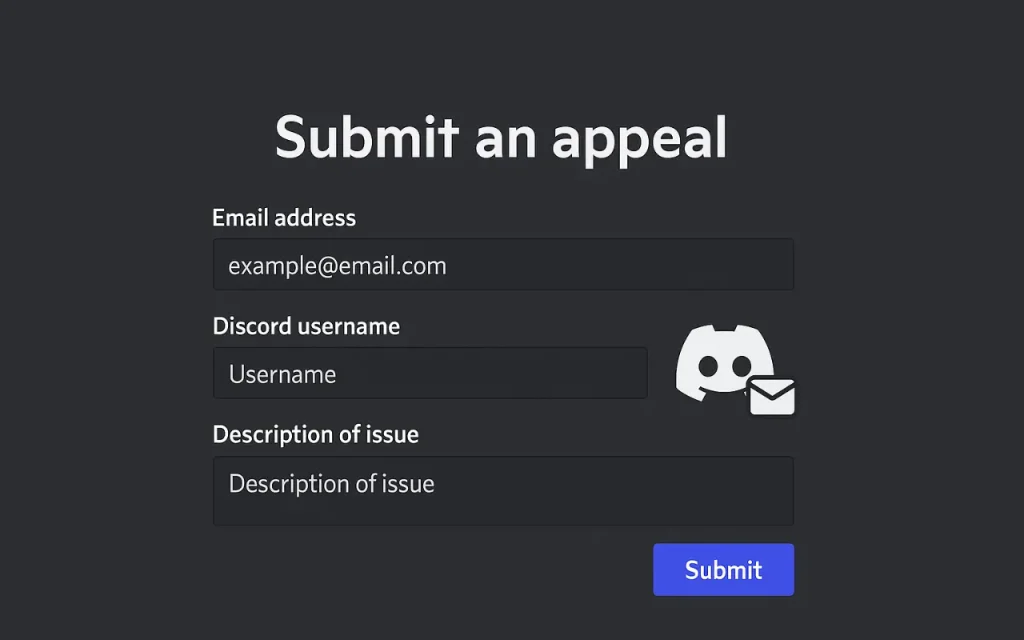
First, confirm your account status via the email linked to your Discord account. Discord usually sends a detailed explanation of the disabling. Then, visit Discord’s “Submit a Request” page. Select “Trust & Safety” as your issue type, provide your account details clearly, and explain your situation concisely but thoroughly.
When appealing:
- Be polite and professional.
- Clearly state why you think the disablement was an error.
- Provide any supporting evidence (screenshots, logs).
Remember patience is key—Discord receives thousands of appeals daily. It can take days or even weeks for a response. Be persistent but respectful in follow-ups.
Preventing Account Disablement
Prevention is always preferable to cure. There are proactive measures every Discord user can take to minimize the risk of account disablement:
- Enable Two-Factor Authentication (2FA): Protects your account from unauthorized access.
- Regularly review connected apps: Remove suspicious or unnecessary apps linked to your account.
- Respect guidelines: Constant awareness and adherence to Discord’s guidelines is essential.
- Engage positively: Foster good relationships within your communities. This can help provide support if an appeal becomes necessary.
Real-Life Experiences: Stories of Success and Lessons Learned
Real-world stories provide insights into both mistakes and successful recoveries from account disablement.
Consider Lisa’s story: Lisa, an anime community moderator, faced disablement after being falsely accused of harassment during a heated discussion. She appealed promptly and professionally, documenting her interactions clearly. Within a few days, her account was restored, and Discord apologized for the misunderstanding.
Conversely, Tom’s story offers a lesson. Tom ignored multiple warnings about posting controversial content. Eventually, his account was permanently disabled without recourse, losing years of community building and contacts. Tom learned the hard way—prevention and respect for guidelines are essential.
These examples illustrate that while Discord can make mistakes, user responsibility and clarity in communication greatly influence outcomes.
Alternatives and Backup Plans
Sometimes, despite best efforts, accounts stay disabled. It’s wise to prepare alternatives to maintain community connections and personal networks.
Platforms such as Guilded, Slack, and Telegram can be effective backups. These platforms have comparable community-building features and can serve as either temporary or permanent alternatives. Regularly backing up your contacts and server details helps maintain continuity if your Discord account faces permanent disablement.
Conclusion
A disabled Discord account can feel devastating, but understanding the reasons behind such actions, knowing how to effectively appeal, and taking proactive prevention steps can significantly mitigate damage and reduce risk. By learning from others’ experiences and preparing alternative communication methods, you safeguard your digital social life.
Ultimately, the best defense against account disablement is awareness, responsibility, and respect for platform guidelines. Act proactively, communicate clearly, and always be prepared with a backup plan. Let these lessons guide you towards a safer, uninterrupted Discord experience.
FURTHER READING