







Creating short documentaries from unedited interview footage is an effective method for delivering stories and facts. It makes you turn an ordinary conversation into something that would engage your audience.
Editors such as CapCut Desktop Video Editor make it much easier. You can easily cut your video, insert transitions, and improve audio using CapCut PC to create a seamless-appearing documentary.
Although CapCut Desktop is loaded with robust features, it’s worth noting that some of its professional tools are available at a subscription price. Nevertheless, for the majority of your projects, its free features are enough to start with.
Why You Need to Turn Raw Interview Clips into a Short Documentary
Editing raw interview footage into a short documentary lends meaning and structure to your shots. An ordinary interview can become immediately compelling if it has a narrative that is engaging.
Developing an effective narrative from raw clips guides your audience through discussion and enhances it to be more compelling.
You can link the fragmented moments into a story with the assistance of CapCut Desktop Video Editor. Short documentaries are ideal for personal projects, corporate narratives, or social media sharing.
They enable you to engage with your audience on a deeper level. For instance, using text-to-speech features in CapCut PC will enable you to add voiceovers or translate quotes.
This feature will help your content reach more people and make your message clear and relatable. A properly crafted short documentary can take raw clips and make something truly resonate with people.
CapCut Desktop Video Editor for Turning Raw Interview Clips into a Short Documentary
CapCut Desktop Video Editor is powerful software that can assist you in transforming raw interview footage into a professionally edited short documentary. There are numerous features within it to make editing simple, be it cutting, trimming, or color-grading your video.
Even though CapCut PC is free, don’t forget that a few of the more advanced tools are not free. Those added features can come in handy with more professional-type projects, but you can also get some great results from the free version.
For editing documentaries, CapCut PC has got you covered. You can instantly trim and cut raw clips to accentuate the crucial moments. The program allows you to add transitions and effects to ensure that your clips transition flawlessly from one scene to the next.
Audio editing is also a potent CapCut Desktop Video Editor feature. You may change the volume, eliminate background noise, and equalize the background music and voiceover to ensure the audio is clear and interesting.
CapCut PC also offers features like an AI video generator, which can be used to generate other content or visual effects to support your documentary’s narrative. This function can offer a greater experience for your viewers and enhance your video by including more components in your footage.
Steps to Turn Unedited Interview Footage into a Short Documentary Using CapCut Desktop Video Editor
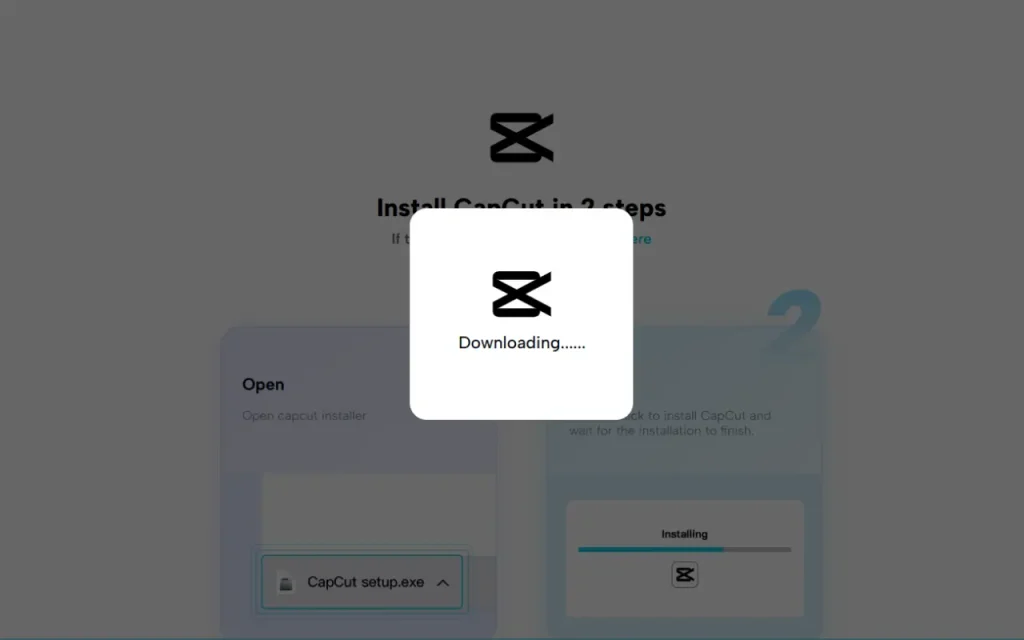
Step 1: Download and Install CapCut Desktop Video Editor
Begin by going to the official CapCut site. Download the CapCut Desktop Video Editor for PC or Mac from there. It is an easy installation.
Simply follow the on-screen instructions to install it. CapCut PC is free of cost, although some of its advanced features may be paid-only.
Step 2: Import Raw Interview Clips
After installation, launch CapCut Desktop Video Editor and start a new project. Select “Import” to upload your raw interview clips.
Once uploaded, drag the clips into the timeline and arrange the clips by cutting out unwanted parts to highlight more of the most crucial moments.

Step 3: Edit and Trim the Clips
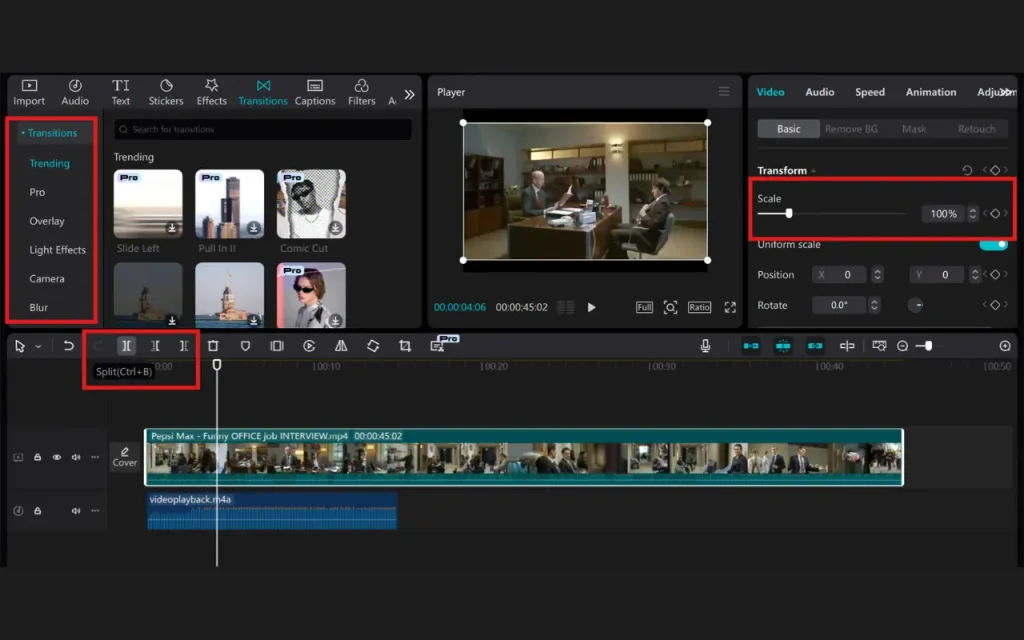
Then, utilize the splitting and trimming tools in CapCut PC to cut interview segments short.
Pay attention to observe the most engaging and significant parts of the interview to make the audience bear it. Insert transitions between the clips to ensure a smooth transition from one segment to the next.
Step 4: Improve the Audio
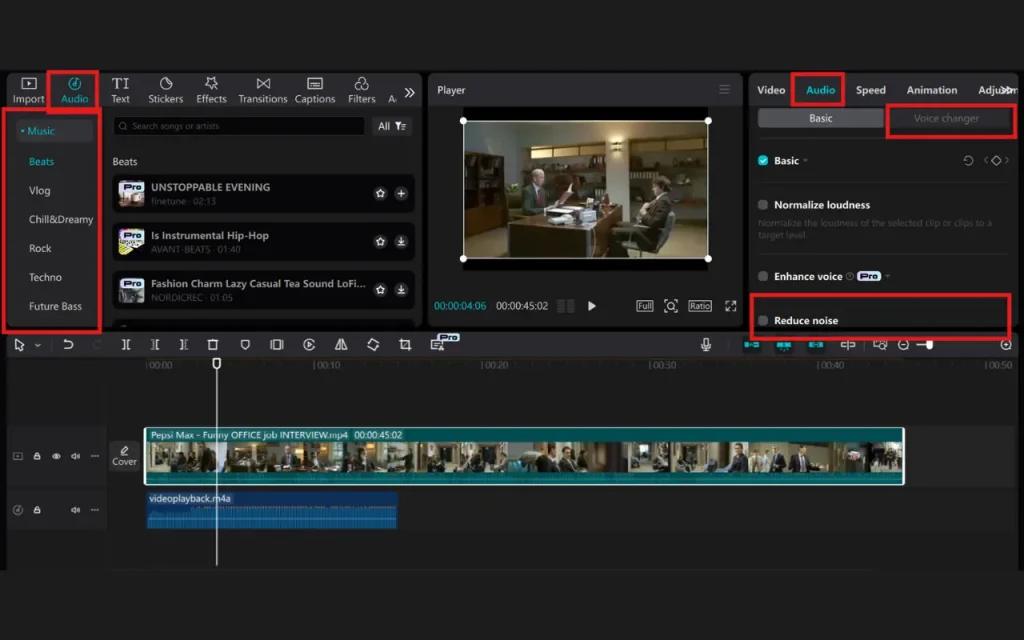
Finally, adjust audio levels so the interview will be heard audibly. You can remove background noise or add background music.
CapCut PC also allows you to use its audio editing tool to enhance the quality of sounds. You may also apply a voice changer feature if necessary to maximize or modify interviewees’ voices.
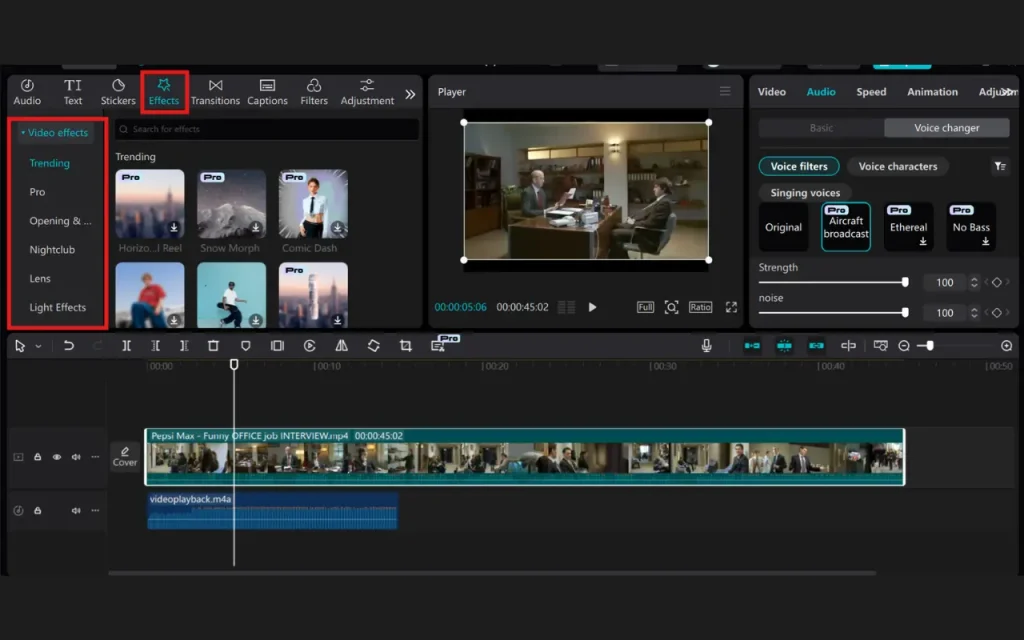
Step 5: Add Visual Elements and Effects
To upgrade your documentary, insert text overlays to provide introductions for the interviewees or emphasize main points.
You can also insert images, B-roll, or video effects to add depth to the story. CapCut Desktop Video Editor has color correction or grading capabilities to achieve a uniform visual tone throughout.
Step 6: Finalizing and Exporting the Documentary
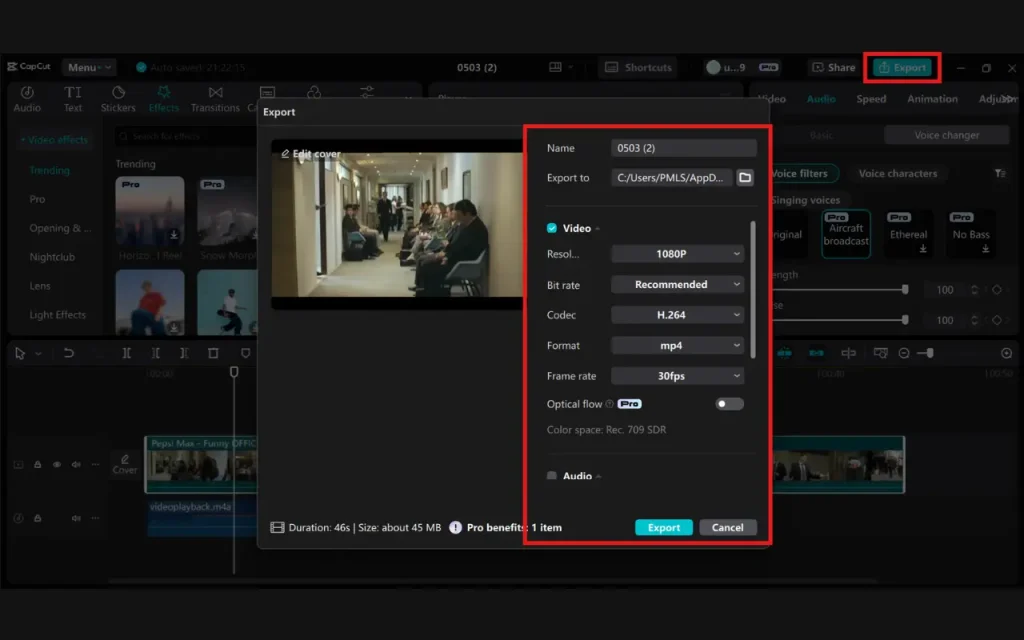
Once you are satisfied with your changes, preview the documentary. Make any last tweaks, then click “Export” to save the video in your desired resolution and format.
You can now distribute your documentary on social media, email, or any video-sharing website.
Conclusion
It is easy and fast to translate raw interview videos into a cool short documentary using CapCut Desktop Video Editor. The application has basic editing, sound, and visual features.
Although there are some paid features that one has to subscribe to, free features on CapCut PC are perfect for beginners and producing high-quality content.
Further Reading